Series and bible
The series holds together what applies to all volumes. The series bible collects characters, places and everything else that appears in your world.
What a series is
Every gamebook belongs to a series. In the series you define once what it is about, who appears and by which rules the game is played. All volumes of the series use the same information. On the Series page you see all your series. With Create series you start a new one.
An open series has five tabs: Basics, Volumes, Series bible, Maps and Rule set.
Filling in the basics
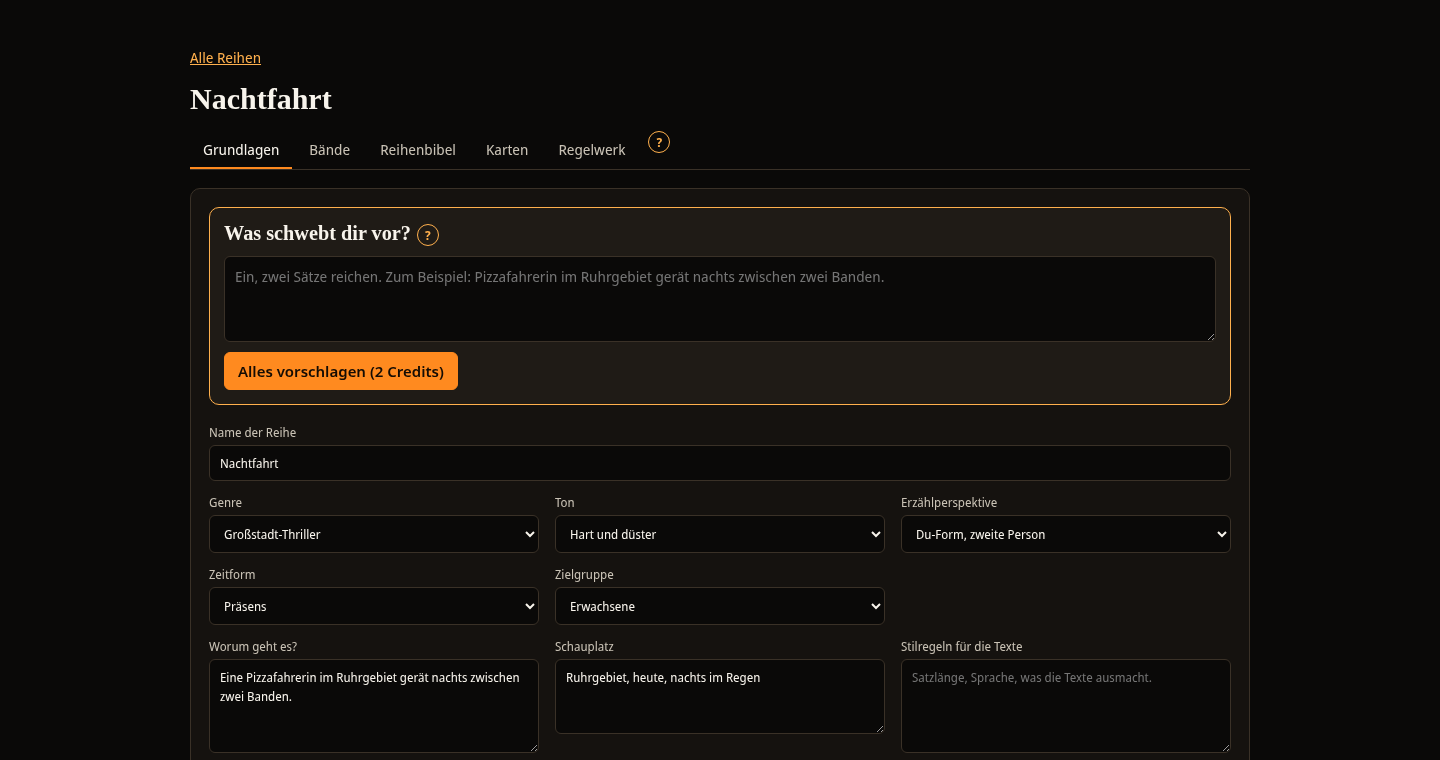
The Basics tab holds the information that applies to every text and every image of the series.
- Name of the series: This is what the series is called in the Spielbuchschmiede and in the book.
- Genre, Tone, Narrative perspective, Tense and Target audience: You choose from a list. If no answer fits, select Custom entry and write your own.
- What is it about?: The basic idea of the whole series.
- Setting: Town, time and atmosphere.
- Style rules for the texts: Sentence length, language and everything that characterises the texts.
- This must not appear: Content, words and clichés that you do not want.
- Style of the illustrations: Applies to all images of the series.
The AI functions take this information into account when they plan a volume, write texts or do the review. The more precisely you fill it in, the better the results fit your series. With Save you save your entries.
Entering the idea
At the very top of the Basics tab is the What do you have in mind? card. Write one or two sentences there, for example: A pizza courier in the Ruhr area gets caught between two gangs at night. With Suggest everything the AI creates a suggestion for all fields and for entries of the series bible.
- The fields fill with the suggestion. Below them you see the suggested bible entries.
- Read the suggestion and change it in the fields where it does not fit.
- Select Accept everything. Only now are the fields saved and the bible entries created.
Nothing is saved until you select Accept everything or Save. The suggestion uses credits. Without a confirmed email address it is locked.
The series bible
The series bible collects everything that appears in your world. Names, traits and settings stay the same in all volumes. The AI functions use the entries when planning, writing and reviewing.
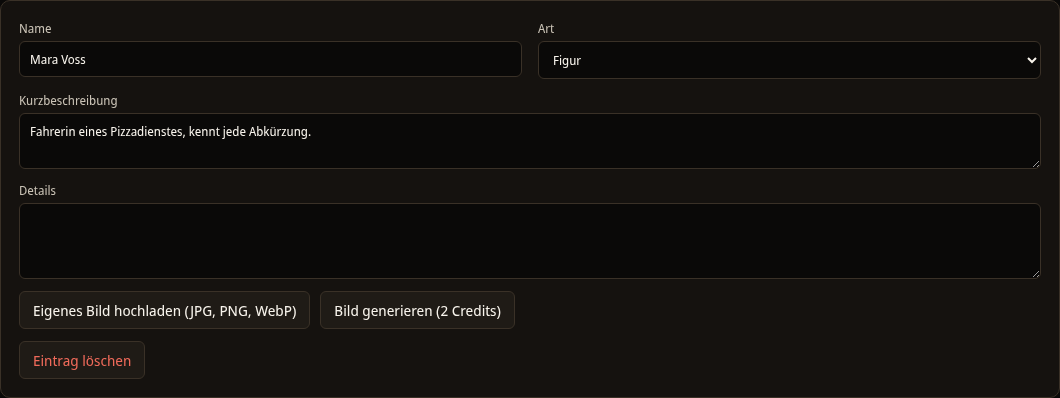
On the Series bible tab, select Create entry. Each entry has these fields:
- Name
- Type: Character, Place, Group, Item, Open thread or World rule
- Short description
- Details
Changes are saved as soon as you leave a field. With Delete entry you remove an entry. The Spielbuchschmiede asks first. A new entry is called "New character". For each entry you can have an image drawn or upload your own. This is described under Images and character images.
Volumes
On the Volumes tab you create a new volume with Create volume. Each volume gets the next number. Clicking the volume opens the editor. All volumes of a series share basics, bible, maps and rule set. A change there applies to all volumes immediately.